What is dnSpy?
dnSpy is a professional-grade debugger and .NET assembly editor designed for developers, security researchers, and reverse engineers. Whether you need to debug complex .NET applications, analyze third-party assemblies, or edit compiled code, dnSpy provides all the tools you need in one comprehensive package.
In the world of .NET development, having the right debugging and analysis tools can make all the difference. dnSpy stands out as one of the most powerful and versatile tools available for working with .NET assemblies. Unlike traditional debuggers that require source code, dnSpy allows you to debug and edit any .NET assembly directly, making it an essential tool for developers who need to understand how applications work under the hood.
The tool has gained widespread popularity among developers for its ability to decompile, debug, and edit .NET assemblies seamlessly. Whether you're working with .NET Framework applications, modern .NET Core projects, or Unity game assemblies, dnSpy provides comprehensive support across all major .NET platforms. This cross-platform compatibility ensures that you can work with virtually any .NET application you encounter.
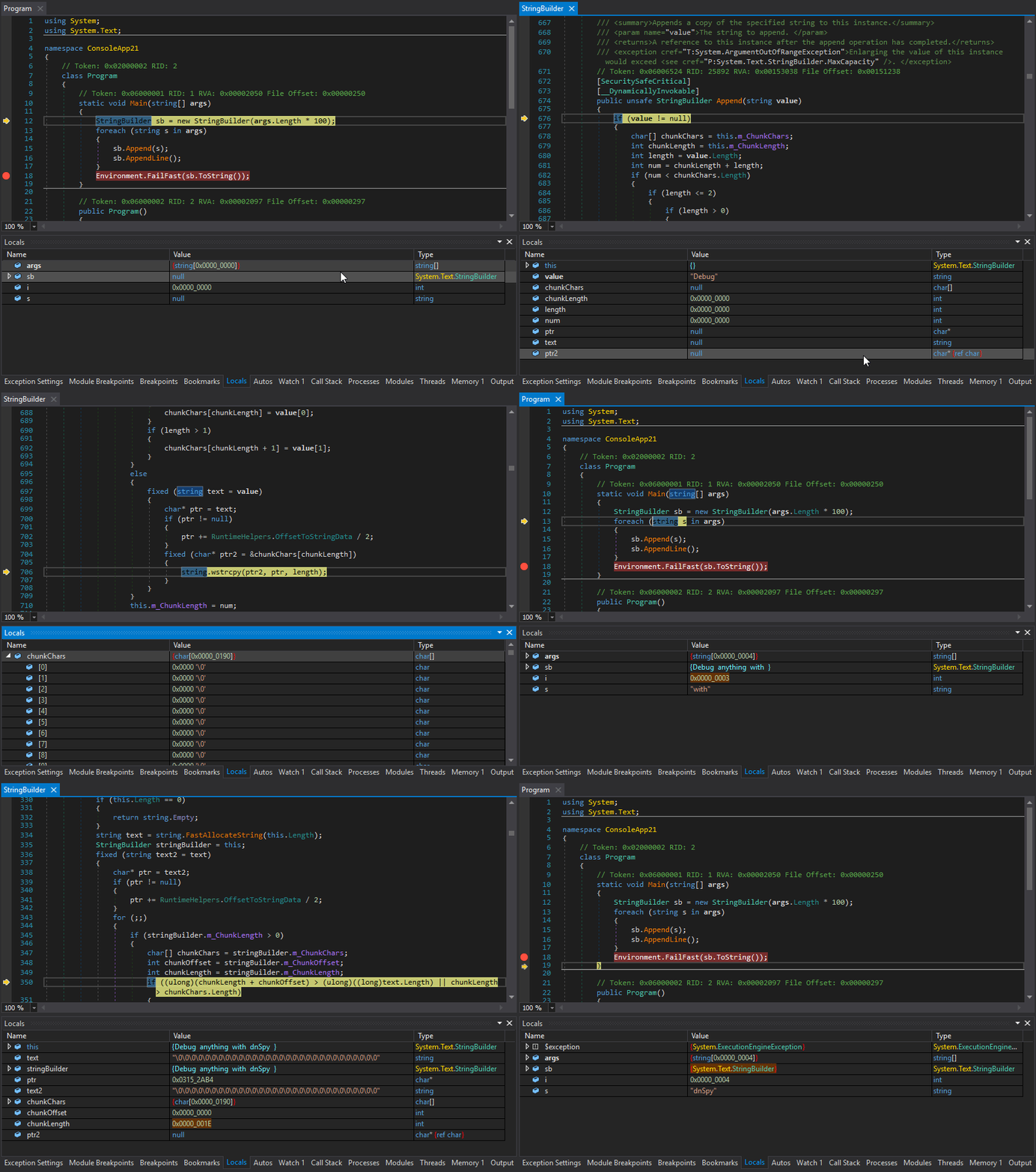
One of the most impressive aspects of dnSpy is its rich feature set. The integrated debugger supports advanced features like breakpoints, stepping through code, inspecting variables, and evaluating expressions at runtime. You can debug multiple processes simultaneously, set conditional breakpoints, and even debug dynamic assemblies. The debugging experience is comparable to Visual Studio, but with the added advantage of working without source code.
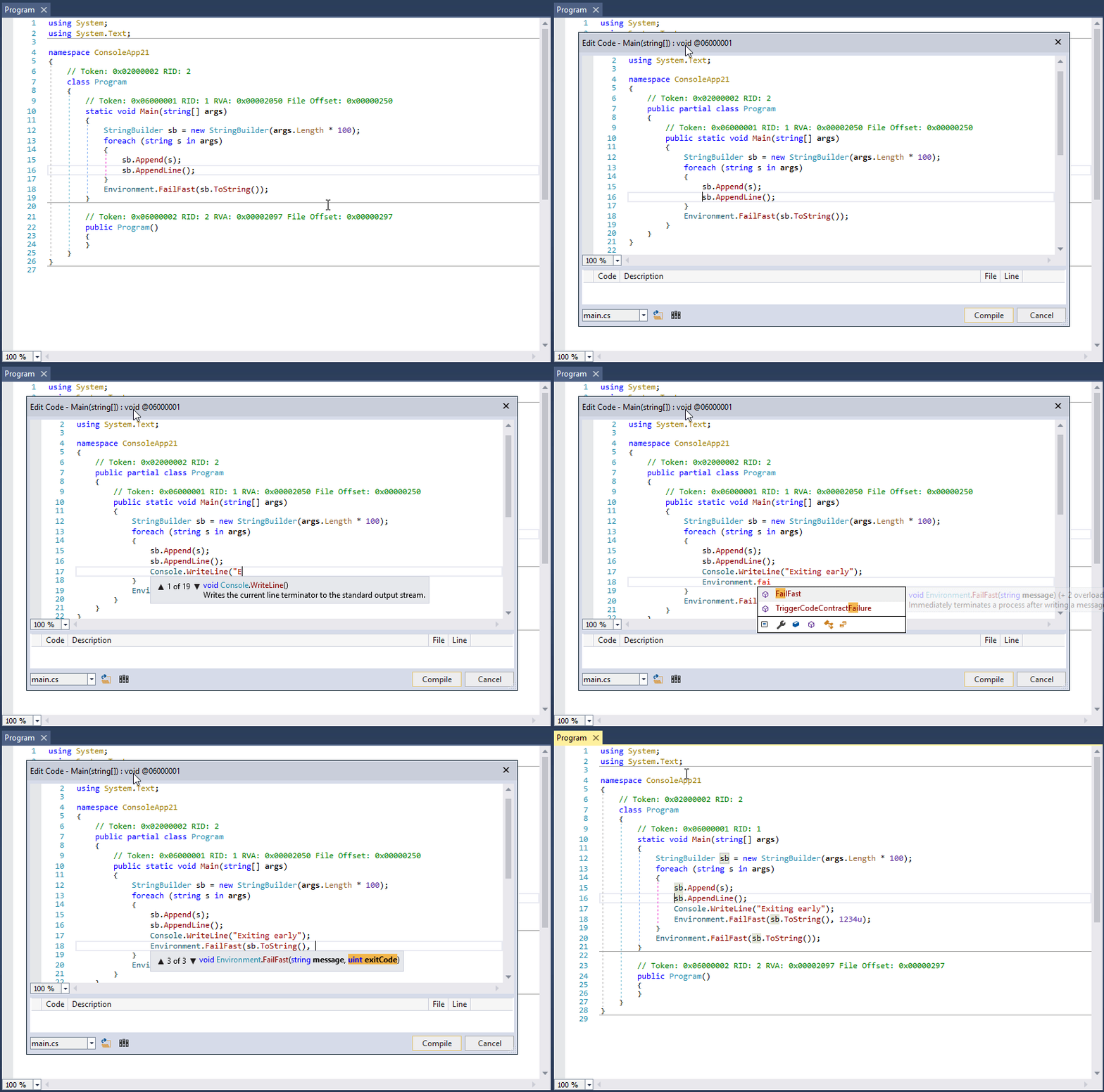
Beyond debugging, dnSpy excels as an assembly editor. You can modify method implementations, add new classes and methods, and even edit low-level IL code directly. The built-in C# and Visual Basic editors come with full IntelliSense support, making code editing feel natural and productive. Whether you need to fix a bug in a third-party library, patch legacy code, or customize behavior, dnSpy gives you the power to make changes at any level.
The hex editor integration is another standout feature. It allows you to view and edit raw binary data in assemblies, with special support for .NET metadata structures and PE file formats. You can jump between high-level decompiled code and low-level IL or hex views seamlessly, making it easy to understand exactly how your changes affect the underlying assembly.
Key Debugging Capabilities
The dnSpy debugger offers comprehensive debugging features that make it stand out from other tools. You can debug .NET Framework applications from version 2.0 to the latest, as well as .NET Core and .NET 5+ applications. Unity game debugging is fully supported, allowing you to debug both Unity games and applications.
Setting breakpoints is straightforward and flexible. You can set regular breakpoints, conditional breakpoints that only trigger when specific conditions are met, and tracepoints that log information without stopping execution. The debugger supports breaking on module load, which is useful for debugging startup code, and breaking on thrown exceptions, including first-chance exceptions.
The variable inspection capabilities are extensive. The Locals window shows all local variables in the current scope. The Watch window lets you monitor specific expressions. The Autos window displays variables used near the current line. You can even save variable contents to disk, which is particularly useful for extracting decrypted data or configuration information.
Advanced features include Object IDs for tracking specific object instances across different parts of your code, support for debugging multiple processes simultaneously, and the ability to debug dynamic modules. The Call Stack, Threads, Modules, and Processes windows provide comprehensive visibility into your application's execution state.
The Output window logs all debugging events with timestamps, making it easy to track what's happening during your debugging session. You can also force dnSpy to always use in-memory images instead of disk files, which is invaluable when debugging applications that decrypt or modify themselves at runtime.
Assembly Editing Features
dnSpy's assembly editing capabilities are just as impressive as its debugging features. You can edit any metadata in .NET assemblies, giving you complete control over how assemblies are structured and behave. The C# and Visual Basic editors provide a familiar editing experience with full IntelliSense support.
You can edit existing methods by decompiling them to C# or Visual Basic, making your changes, and recompiling them back into the assembly. Adding new methods, classes, properties, and other members is straightforward. For advanced users, the IL editor provides low-level control over method implementation, allowing you to hand-craft IL code when necessary.
The hex editor can be used to edit low-level metadata tables directly. This is useful for making changes that aren't possible through the high-level editors or for understanding how .NET metadata is structured at the binary level. The hex editor includes helpful features like syntax highlighting for metadata structures and tooltips that explain what each field means.
All editing operations preserve the integrity of the assembly. dnSpy handles the complex task of updating metadata tokens, fixing references, and ensuring that the modified assembly remains valid and executable.